
Type Racer Widget

Thanks for downloading our widget!
Here you will find instructions on how to set everything up and an in-depth description of its possibilities.
⚠️ Take note: This widget is hosted on StreamElements and works only with StreamElements donations — make sure you have a StreamElements account before setting it up!
Widget Installation
- Log in to StreamElements with your Youtube or Twitch account
- Go to the “2. Widget” folder in the package you’ve downloaded
-
Pick the file that corresponds to your streaming platform (Twitch or YouTube) and double-click to install it.
Voila! Your widget is installed!
Widget Customization
-
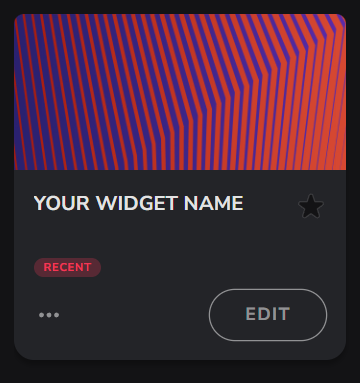
Pick your widget in your StreamElements dashboard and click “Edit”
-
Click on “Layers” and go to your widget.

- Go to the “Settings” tab


- Woohoo, here you can customize everything to your taste :)
⚠️ IMPORTANT
For all of your customizations to take effect, you need to press "Save" in the top right corner of the editor and refresh the page before adding the widget to your streaming software!

Widget Guide
1. Quick Start
- Add the widget to your StreamElements overlay.
- Set the overlay size — the widget scales to fit any resolution (default 55% scale).
- A moderator (or broadcaster) types
!race startin chat. - A 3-2-1-GO countdown plays, then words/phrases start appearing.
- Viewers type the displayed text in chat — first correct answer wins the round!
- After all rounds complete, a podium shows the top 3 players.
The widget works out of the box with zero configuration. All defaults are tuned for a fun, fast-paced game.
2. How It Works
Round Flow
- A word or phrase appears on the prompt card
- A timer bar counts down (default: 20 seconds per round)
- Viewers type their answer in chat
- First correct answer wins the round — a winner flash shows their name and points
- If nobody answers in time, a "TIME!" flash appears and the next round begins
- Between rounds there's a brief intermission (default: 3 seconds)
Answer Matching
- Answers are case-insensitive — "Hello" matches "hello"
- Punctuation and special characters are stripped — "don't" matches "dont"
- Extra spaces are collapsed — "hello world" matches "hello world"
- Unicode-aware for non-English languages (Korean, Japanese, etc.)
Anti-Cheat
A minimum answer time (default: 400ms) prevents bots or copy-paste from instantly winning. Answers submitted before this threshold are silently ignored.
Bot Filtering
Common stream bots (Nightbot, StreamElements, Moobot, etc.) are automatically blocked from participating. You can customize the blocklist in settings.
3. Game Modes
Sprint (Default)
A fixed number of rounds (default: 5). After the last round, the game ends and shows the podium.
Best for: Quick games between other content, hype moments.
Marathon
A timed session (default: 3 minutes) with unlimited rounds. Rounds keep cycling until the session timer expires.
Best for: Extended engagement periods, "race to the top" competitions.
Starting a Specific Mode
!race start— uses the mode set in widget settings!race start sprint— forces Sprint mode!race start marathon— forces Marathon mode
4. Scoring System
Base Points
Each correct answer earns base points (default: 10).
Speed Bonus
When enabled (default: on), faster answers earn bonus points. The bonus scales linearly — answering immediately gives the maximum bonus, answering at the last second gives zero.
speed bonus = max_bonus × (time_remaining / total_round_time)
| Answer Speed | Bonus (default max: 10) |
|---|---|
| Instant | +10 |
| 25% elapsed | +8 |
| 50% elapsed | +5 |
| 75% elapsed | +3 |
| Last second | +0 |
Win Streak Bonus
When enabled (default: on), consecutive round wins earn increasing bonus points.
streak bonus = (streak_level - 1) × bonus_per_level
| Streak | Bonus (default: 2/level) | Label |
|---|---|---|
| 1 win | +0 | — |
| 2 wins | +2 | — |
| 3 wins | +4 | 3x STREAK! |
| 5 wins | +8 | ON FIRE! |
| 10 wins | +18 | UNSTOPPABLE! |
Streak resets when someone else wins a round.
Total Score Example
A player answers correctly in 5 seconds (out of 20s) while on a 3-win streak:
base:         10
speed bonus:  + 8 (75% time remaining × 10 max)
streak bonus: + 4 (3-1 = 2 × 2 per level)
total:        = 22 points
5. Word Banks & Languages
Supported Languages
| Code | Language |
|---|---|
| en | English |
| es | Spanish |
| pt | Portuguese |
| de | German |
| fr | French |
| ko | Korean |
| ja | Japanese |
| tr | Turkish |
| uk | Ukrainian |
| it | Italian |
Difficulty Levels
- Easy — Common, short words/phrases
- Medium — Moderate length and complexity
- Hard — Long, uncommon, or tricky to type
- Mixed — All difficulties combined (default)
Prompt Styles
- Single Words — One word at a time (default)
- Phrases — Multi-word phrases and expressions
- Mixed — Both words and phrases randomly
6. Chat Commands
Player Commands
Players don't need any commands — just type the displayed word/phrase in chat to compete.
Management Commands
These require the permission level set in "Who Can Start/Stop/Skip Games" (default: Moderator+).
| Command | Description |
|---|---|
!race start |
Start a new game (uses configured mode) |
!race start sprint |
Start a Sprint game |
!race start marathon |
Start a Marathon game |
!race stop |
Stop the current game immediately |
!race skip |
Skip the current round |
!race reset |
Stop and clear all scores |
The command prefix (!race ) is customizable in settings.
7. Settings Reference
Layout
| Field | Default | Description |
|---|---|---|
| Widget Scale (%) | 55 | Overall widget size (30–100%) |
| Background Color | #0273E7 | Main widget background |
| Accent Color | #FCB922 | Mode pill, highlights |
| Prompt Card Color | #7A7E99 | Word/phrase display card |
| Timer Bar Color | #BFE81E | Timer bar fill |
Game Settings
| Field | Default | Description |
|---|---|---|
| Game Mode | Sprint | Sprint (rounds) or Marathon (timed) |
| Sprint — Number of Rounds | 5 | Rounds per Sprint game (1–20) |
| Time Per Round (seconds) | 20 | How long players have to answer (5–90) |
| Marathon — Session Duration (seconds) | 180 | Total Marathon session length (60–900) |
| Intermission Between Rounds (seconds) | 3 | Pause between rounds (1–10) |
| Language | English | Word bank language |
| Difficulty | Mixed | Easy, Medium, Hard, or Mixed |
| Prompt Style | Single Words | Words, Phrases, or Mixed |
| Auto-Start Game On Load | Disabled | Start game when widget loads |
Scoring
| Field | Default | Description |
|---|---|---|
| Points Per Correct Answer | 10 | Base points for winning a round |
| Speed Bonus | Enabled | Extra points for fast answers |
| Maximum Speed Bonus Points | 10 | Max speed bonus achievable |
| Win Streak Bonus | Enabled | Extra points for consecutive wins |
| Bonus Points Per Streak Level | 2 | Points per streak tier |
| Minimum Answer Time (ms) | 400 | Anti-cheat threshold (200–2000) |
Commands & Permissions
| Field | Default | Description |
|---|---|---|
| Command Prefix | !race | Chat command trigger |
| Who Can Start/Stop/Skip Games | Moderator+ | Permission level for game management |
| Bot Blocklist | nightbot, streamelements, ... | Comma-separated bot usernames to ignore |
Display
| Field | Default | Description |
|---|---|---|
| Max Leaderboard Entries | 5 | Players shown in the bottom strip (3–10) |
Dev / Testing
| Field | Default | Description |
|---|---|---|
| Testing Mode | Disabled | Simulates fake players answering |
| Hard Reset — Step 1: ARM | Safe | First step of data wipe |
| Hard Reset — Step 2: FIRE | Safe | Second step — erases all data |
8. Hard Reset (Danger Zone)
To completely wipe all saved player data and start fresh:
- Step 1: Set "Hard Reset — ARM" to ARMED
- Step 2: Set "Hard Reset — FIRE" to FIRE — ERASE EVERYTHING
- Save the widget settings
Both must be set when you save. This prevents accidental data loss.
After the reset triggers, set both back to "Safe" and save again to prevent the reset from firing on every future settings save.
A hard reset wipes: all player scores, win records, avatar cache, and all-time records from SE_API storage.
9. Tips for Streamers
Game Length
- Quick games (2–3 min): 5 rounds × 20s = ~2 min with intermissions
- Medium games (5–8 min): 10 rounds × 30s, or Marathon at 5 min
- Long sessions (15+ min): 20 rounds × 45s, or Marathon at 15 min
Difficulty Tuning
- Easy mode with single words is great for new/young audiences
- Hard mode with phrases creates intense competition for experienced chatters
- Mixed everything (default) keeps it unpredictable and fun
Engagement Strategy
- Call out streak milestones — "Ninja is on a 5-win streak, can anyone stop them?"
- Use Marathon mode during hype moments for sustained engagement
- Lower the round timer (10–15s) for faster, more intense gameplay
- Raise the round timer (30–60s) for harder prompts or slower chat
Language Fun
- Switch languages mid-stream for variety
- Challenge your audience with Japanese or Korean mode
- Use different languages for different stream segments
Widget Sizing
The default 55% scale is designed for a compact overlay. Adjust based on your layout:
- 30–40%: Minimal footprint, corner placement
- 50–60%: Standard overlay size
- 70–100%: Full featured, central placement
Leaderboard
- The bottom strip shows top players with avatars, scores, and streak indicators
- Avatars are fetched from Twitch automatically (via decapi.me)
- Players without avatars show their initial in a colored circle
State Persistence
Player scores and all-time records save automatically every 30 seconds to StreamElements storage. Data persists between streams — your community's records carry over.
How to Add it to the Streaming Software?
OBS Studio
- Copy the URL of your Widget from the StreamElements dashboard
- Open OBS Studio
- Click “Add Source” (plus icon) in the Sources section.
- Add a “Browser” source, give it a name, and press “Ok”
- Paste the URL you’ve copied
- Set the width to 1920 and the height to 1080
- Press “Ok” and we’re done!
Streamlabs Desktop
- Copy the URL of your Widget from the StreamElements dashboard
- Open Streamlabs Desktop
- Click “Add a new Source” (plus icon) in the Sources section.
- Choose “Browser Source”, give it a name, and press “Add Source”.
- Paste the URL you’ve copied previously
- Set the width to 1920 and the height to 1080
- Now press “Close” and that’s it! Your widget is ready to use!